


Automatic Mileage Tracker App
4.512.00 Reviews
App Specs
- Version
- 5.46.7
- Updated On
- License
- Free
- Downloads
- 10,000+
- Developer
- Easy Expense Tracker
- Categories
- Business
- Platform
- Android
Screenshots
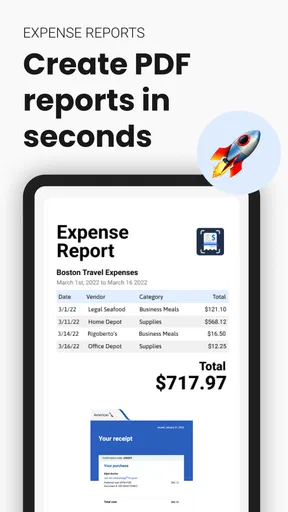
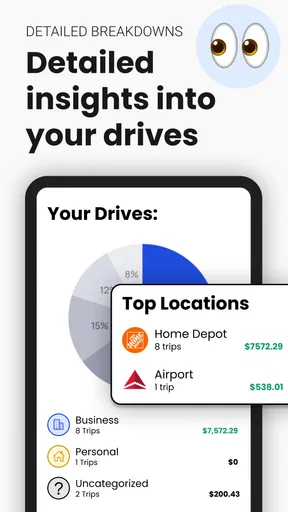
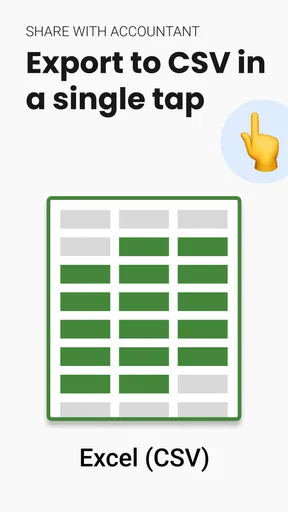
 Analysis by AppCompare
I like mileage trackers most when they quietly remove a boring task from my day. Automatic Mileage Tracker App is aimed at that exact problem: recording journeys so mileage reports, reimbursements, and tax-related paperwork are easier to organize later. It sits in the Business category, but I found its appeal just as strong for freelancers, contractors, salespeople, caregivers, and anyone who regularly drives for work and does not want to reconstruct every trip from memory.
The app is free to install, with optional in-app purchases ranging from $7.99 to $144.99 per item. That makes it easy to try before deciding whether its tracking approach fits your routine. It is rated for Everyone, requires Android 6.0 or later, and comes from Easy Expense Tracker. The current version is 5.46.7, while the app itself was released on August 27, 2024. Its average rating is 4.5 from around 118 ratings, and it has passed 10 thousand installs, so it has a modest but real user base rather than the reach of a major finance platform.
Where mileage tracking usually gets stuck
The difficult part of mileage recording is rarely the final report. The real trouble happens earlier: a trip starts before I remember to open an app, a short stop gets mixed with a personal errand, or several days pass before I try to recreate the route. A tracker that depends entirely on perfect manual habits can become another chore, which is why the automatic-trip focus matters here.
In everyday use, I would treat this app as a background record rather than a complete accounting system. After a workday with several visits, the useful result is not merely a list of drives. It is a reliable starting point for separating business travel from personal travel, checking the route while it is still fresh, and preparing a report without relying on memory. That distinction is important: automatic collection can reduce missed trips, but it does not remove the need to review them.
One realistic example is a self-employed repair worker who drives from home to a supplier, then to two customer locations, and finally back home. A manual mileage log may capture the first and last journeys while missing the middle of the day. An automatic tracker has a better chance of preserving the full sequence, but the worker still needs to identify which legs were genuinely business-related. I would review the day before submitting anything, especially when a personal stop sits between two work visits.
Another common sticking point is expecting the app to know the purpose of every journey. A phone can help record movement, but it cannot reliably decide whether a trip was for a client, a commute, a school run, or a private appointment. The strongest workflow is therefore automatic capture followed by human classification. If you want a completely hands-off tax record, this is probably the wrong expectation for any mileage app, including this one.
What I would check before blaming the tracker
When a journey does not appear, I would first check the simple things: was the phone with me, was it switched on, and did the device have enough battery to continue operating during the drive? A tracker cannot recover movement that the phone never observed. I would also look at whether the app is current, since the installed version can affect behavior on different Android devices.
Worth Reading Before You Choose

Flipboard Shows What News Apps Must Do Beyond the Feed

Switching to Android Auto Means Rethinking Your Driving Routine

Google Calendar Makes a Crowded Week Easier to Manage

Ludo King Makes the Most of the Minutes Between Plans

Baby Panda World Brings Quick Play to Modern Phones, but Its Game Library Feels Busy

ESPN’s Live Game View Makes Following Close Games Easier
I would then open the app after a normal short drive instead of judging it from one unusual trip. A brief journey with several stops may be harder to interpret than a straightforward drive, and a newly installed app may need time to become part of my routine. Checking a known route gives me a clearer baseline than testing during a rushed workday.
There is also a practical privacy trade-off to consider. Automatic mileage recording is useful precisely because it observes travel without requiring a manual start every time. That convenience may not suit someone who does not want an app involved in their regular movements. I would only use it if the benefit of easier records outweighs that concern, and I would review entries before sharing them with an employer or using them for tax paperwork.
Setup checks that prevent avoidable gaps
My preferred setup approach is deliberately cautious. I would install the app, open it, and spend a few minutes learning how a recorded trip is displayed before depending on it for an important reporting period. I would make one ordinary drive, inspect the result, and confirm that I can tell the difference between a trip that was recorded and one that still needs attention.
I would also avoid beginning with a complicated day. A simple route gives me a chance to understand the app’s workflow without mixing work travel, personal stops, and unusual detours. Once that baseline looks sensible, I would use it during a real working day and review the entries that evening. This two-stage approach is more reliable than installing the app immediately before a reimbursement deadline.
For people using an older Android phone, the minimum operating-system requirement is Android 6.0. Meeting that requirement only means the device is eligible to run the app; it does not guarantee identical behavior across every handset. Battery management, manufacturer settings, and the phone’s general condition can all affect background activity. I would therefore test the app on the actual phone used for driving, not on a newer spare device.
A useful habit is to keep a small note of the day’s unusual events while the details are fresh. For example, I might write “client visit, fuel stop, personal detour” in a simple note. That is not a replacement for the tracker. It is a backup for the context that automatic recording cannot know. This makes later review faster and reduces the risk of claiming a mixed-purpose journey without thinking about it.
I would also decide in advance how I want to handle home-to-work travel, waiting time, parking, and personal stops. The app can help organize mileage, but the rules around reimbursable or deductible travel depend on the user’s employer, profession, and local tax situation. Treating every automatically captured mile as business mileage is a mistake, regardless of how accurate the route appears.
Recovering a messy day without starting over
When a day looks incomplete, I would not immediately uninstall the app or assume all records are lost. First, I would inspect the surrounding trips and compare them with my calendar, receipts, fuel stops, or appointment times. Those outside clues can show whether the problem is one missing journey, a route that needs interpretation, or a whole day that was never captured.
If only one trip is questionable, I would preserve the entries that look correct and deal with the questionable one separately. Rebuilding an entire day from memory can introduce more errors than it fixes. A careful review is especially important when a route includes a personal stop, because the correct answer may be to exclude part of the travel rather than force the whole journey into a business category.
For a recurring gap, I would compare several days rather than drawing a conclusion from one incident. Does the issue happen only on short drives, only after the phone has been idle, or only in a particular area? A pattern is more useful than a single missing record. I would note the time, route, and phone state, then use that information when checking the device or deciding whether this automatic workflow is dependable enough for my needs.
The most important recovery tip is to keep a temporary manual backup while testing. A basic note with date, destination, and approximate purpose is enough to protect a new user from losing a week of records while learning the app. Once the automatic workflow proves dependable, I could reduce that backup to unusual journeys only. This is a sensible compromise for anyone whose reimbursement depends on complete documentation.
I would be careful with reinstalling as a first response. Removing an app can change what is available locally, and it does not explain why the original issue happened. Before taking a disruptive step, I would check the app’s current display, confirm the phone meets the operating-system requirement, restart the phone if it has been behaving unusually, and test again on a simple route. These are ordinary troubleshooting steps, but they often separate a temporary phone problem from a genuine workflow problem.
When the app is not the cause
A missing or odd mileage entry is not always an application failure. Phones can run low on power, lose connectivity, restart unexpectedly, or behave differently when their background activity is restricted. A route through a poor-signal area may also make a user question the result, even though the underlying issue is the device or environment rather than the mileage tool itself.
This is why I would not judge the app solely by whether every journey appears instantly. I would allow time for the phone and app to finish processing, then check again. If the same kind of trip repeatedly fails while simple routes work, that is meaningful evidence. If several unrelated phone functions are also unreliable, I would investigate the handset before blaming the tracker.
There is a second source of confusion: automatic tracking records movement, not business intent. A route can be perfectly captured and still require editing or interpretation. A driver who takes a personal detour may see a total that looks higher than the reimbursable amount. That does not necessarily mean the mileage is wrong; it may mean the trip needs to be divided conceptually into work and private travel.
I would also avoid using the app as the final authority on tax treatment. It can make mileage information easier to collect and organize, but tax rules vary, and employers may have their own reimbursement policies. For a small business, I would keep the app’s records alongside invoices, appointment records, and receipts. That combination gives a stronger audit trail than mileage alone.
Who will get the most from it
This app makes the most sense for someone who drives regularly and repeatedly forgets to start a manual log. A freelancer visiting clients, a field technician moving between jobs, or a salesperson covering several appointments could benefit from having trips gathered automatically instead of writing down odometer readings throughout the day.
It may also suit a person who wants a simpler alternative to a full expense-management platform. Larger business systems can combine mileage with invoices, approvals, corporate cards, and accounting integrations, but that extra machinery is unnecessary for someone whose main pain is remembering journeys. Here, the focused mileage workflow may feel easier to understand and maintain.
I would be less enthusiastic for someone who drives only occasionally, never needs reimbursement, or is uncomfortable with automatic travel recording. Occasional drivers may find a manual log sufficient, particularly if they make one predictable business trip each week. Likewise, a company that requires centralized employee reporting may prefer an employer-provided system rather than an individual app.
The optional purchase range also deserves a careful look before committing to a long-term workflow. The free installation lowers the barrier to testing, but users should make sure the functions they actually need fit the available plan before building an important reporting process around them. I would start with a representative week, not a single drive, and decide based on whether the saved effort is worth the eventual cost.
How it compares with manual logs and broader tools
Compared with a paper notebook or spreadsheet, the main advantage is reduced dependence on memory. A manual method can be perfectly transparent and inexpensive, but it asks me to remember every relevant journey, record it promptly, and calculate totals later. Automatic tracking is more convenient for busy driving days, though it introduces the need to review captured trips and understand how the phone behaves in the background.
Compared with a full accounting application, this app appears more narrowly focused on mileage. That can be a strength when I do not want invoices, bookkeeping, and travel records mixed together. The trade-off is that a specialized tracker may not replace a broader financial system for a growing business. I would use it as the mileage part of my process rather than assuming it is a complete substitute for accounting software.
Compared with a simple odometer photo, it offers a different kind of convenience. Odometer readings can be useful evidence, but they do not automatically explain each individual journey. A tracker can help reconstruct the sequence of travel, while an odometer provides a broader start-and-end check. For important records, I would consider keeping both types of evidence when practical instead of treating them as competing methods.
The non-obvious trade-off is that automation shifts effort rather than eliminating it. I spend less time initiating trips, but I need to spend a little time reviewing classifications, unusual routes, and gaps. For me, that is a worthwhile exchange because reviewing a day is easier than recreating it from memory. Someone who dislikes any post-drive organization may prefer a very simple manual routine instead.
My practical verdict after weighing the friction
I see Automatic Mileage Tracker App as a sensible trial for Android users who need a more dependable way to gather work-related journeys. Its strongest idea is straightforward: let automatic trip tracking handle the repetitive capture, then let the user make the decisions that a phone cannot make about business purpose and reimbursement.
I would not install it five minutes before a tax deadline and assume the problem is solved. I would test it on the real phone, review a normal working day, keep a temporary backup, and learn how to handle mixed-purpose trips. Those steps are not signs that the app is difficult; they are sensible safeguards whenever records affect money or compliance.
The app is free to begin with, carries an Everyone age rating, and has a 4.5 average from around 118 ratings. Its 10-thousand-plus installs suggest it is established enough to try, while still being a focused tool rather than a household-name finance suite. Easy Expense Tracker has positioned it for people who want mileage records without turning the task into a full bookkeeping project.
My recommendation is conditional but positive: try it if missed trips are your main problem, especially when you drive for several work appointments in one day. Give it a realistic test period, inspect every unusual entry, and keep separate supporting records for tax or employer requirements. Skip it if you rarely drive for work, need company-wide reporting, or want one platform to manage every part of your finances. For the right user, it can remove the most frustrating part of mileage logging; for everyone else, a simple manual note may remain the clearer choice.
Pros
- Runs quietly in the background with minimal manual input.
- Automatically separates driving trips from other journeys.
- Useful mileage summaries for tax
- work
- or reimbursement records.
- Trip history can make recurring routes easier to review.
- Convenient for users who frequently forget to start tracking.
Cons
- Background location access may raise privacy concerns for some users.
- Continuous GPS use can increase battery consumption on longer drives.
- Accuracy may drop in tunnels
- parking garages
- or weak-signal areas.
- Automatic detection can occasionally record unwanted short trips.
- Advanced tracking features may require a paid subscription.
FAQs for Automatic Mileage Tracker App
What is the Automatic Mileage Tracker app used for?
Automatic Mileage Tracker is designed to record the distance you travel by car and organize your trips in one place. It can be useful for business mileage, tax documentation, reimbursements, delivery work, commuting, or personal travel records. After setup, the app generally tracks journeys in the background, helping you avoid manually writing down every start point, destination, and mile driven.
How does Automatic Mileage Tracker detect and record my trips?
The app typically uses your phone’s location services, motion sensors, and sometimes Bluetooth or vehicle-related connections to recognize when a drive begins and ends. You may need to grant location access and allow background activity for reliable tracking. Accuracy can vary depending on GPS reception, battery-saving settings, underground parking, dense buildings, and whether the phone is carried consistently during each trip.
Does Automatic Mileage Tracker work without an internet connection?
Many mileage tracking features can continue working when mobile data or Wi-Fi is temporarily unavailable because the phone can collect location information locally. However, maps, cloud synchronization, account backups, route details, and some classification features may require an internet connection later. It is a good idea to open the app occasionally and confirm that offline trips have synchronized correctly.
Can I use the app for tax deductions or business mileage reimbursement?
The app can help create an organized mileage record by storing dates, routes, distances, and trip purposes, which may be useful for tax preparation or employer reimbursement. Nevertheless, it should not be treated as a guarantee that your records meet local tax rules. Review trips carefully, add business details when available, and consult a qualified tax professional about required documentation in your country.
Will Automatic Mileage Tracker affect my phone’s battery and privacy?
Because automatic tracking may use GPS, motion detection, Bluetooth, and background processing, battery consumption can be higher than with a basic notes app, although the impact depends on your device and settings. Location history may also be stored on the phone or synchronized with an online account. Before using it, review its privacy policy, permissions, retention options, and background-location controls.


